

Run the example
You need Node.js 22+ and an API key from the developer dashboard. No package installation is required.- Download the example app and extract it.
- Open a terminal in the extracted
creator-researchdirectory. - Set your key and start the server:
Search, review, and save
1
Search from a brief
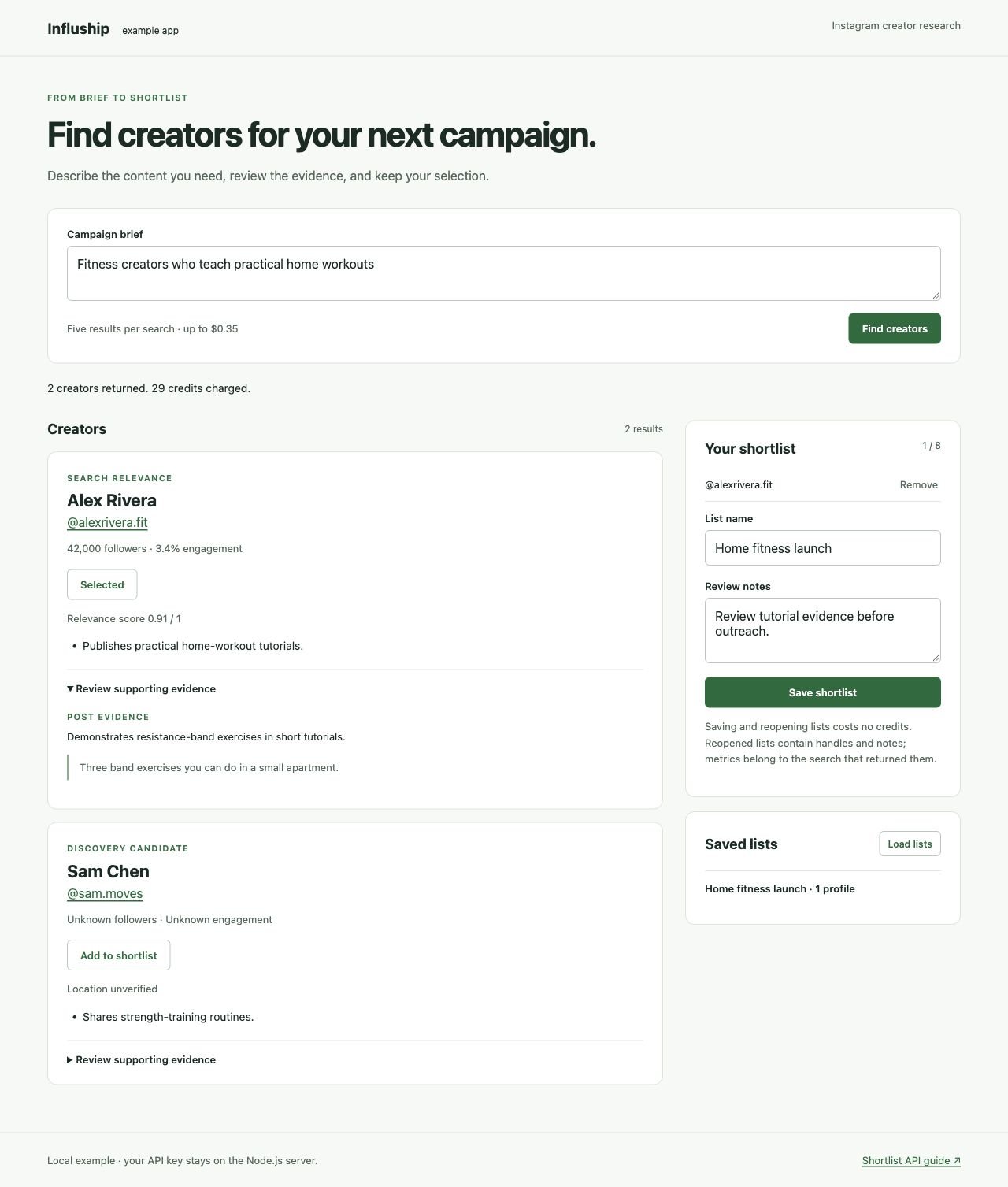
Enter a brief such as “fitness creators who teach practical home workouts” and choose Find creators. The app requests up to five results and displays creator names, Instagram handles, available metrics, and match reasons.Each search costs up to $0.35 with API-key billing. An empty search costs $0.25. New API customers receive 500 starter credits.
2
Review the evidence
Expand Review supporting evidence to see post evidence, profile facts, and inferred reasons. Quotes appear when the response supplies them. Results using retrieval fallback are labeled Discovery candidate.
3
Save your selection
Add one to eight Instagram profiles, enter a list name and review notes, then choose Save shortlist. Saving uses the free Shortlists API.
4
Reopen your work
Choose Load lists, then open your saved list. Your selected handles, brief, and notes return. The app restores profile references; run another search when you want new candidates.
How the app fits together
The app preserves unknown metrics, distinguishes retrieval candidates from scored results, and shows evidence provenance. See Campaign Fit & Evidence for those response fields.
Handle failed requests
The example surfaces errors without automatically repeating a search or save. If a save has an ambiguous failure, load your saved lists before trying again; the original request could have completed. For billed searches, another request can incur another charge. For402, check your balance in the dashboard. For 429 or temporary service failures, follow Error Handling before adding retries.